
Selling tickets through your own website involves more than adding a payment button. Visitors need to understand the event, choose the right tickets and know what to bring on the day. Your team needs a practical way to manage availability, answer booking questions and admit guests.
Give each event its own page with the information a visitor needs before booking. Keep the event title, date, venue and ticket option easy to find, especially on a phone. Distinguish the time doors open from the performance or activity start time.
Prepare the following information for each event:
Use accurate information supplied by the venue team. If a visitor needs to ask about an access requirement or suitability, make the contact route clear rather than leaving them to guess.
Decide whether you need one general admission ticket, several price categories or tickets for particular sessions. Reserved seating requires different planning from an unallocated room. Explain these requirements before choosing the system.
Agree how capacity will be managed, including any tickets sold at the door or through another channel. Ask the provider to demonstrate what happens when stock runs out, a payment fails or a customer leaves checkout unfinished. If different ticket types share one capacity, confirm how that total is controlled.
You can send visitors to an external ticketing service or use a ticketing system connected to your website. Compare the actual visitor journey, setup work, ongoing charges and staff tasks for each option. Include payment processing, ticketing licences and support in the quotation.
Ask where event and order information will be managed and who controls the relevant accounts. If you already use a ticketing provider, show your web designer that setup before commissioning a replacement or integration.
Decide what the customer sees after payment and what they receive by email. The message should identify the event, date, quantity and admission instructions. Explain whether guests need a ticket on their phone, a printed copy, a booking reference or another agreed form of confirmation.
Make help easy to find for someone who cannot locate their ticket or needs to query an order. Agree which member of staff can look up a booking and resend confirmation, and demonstrate that process before launch.
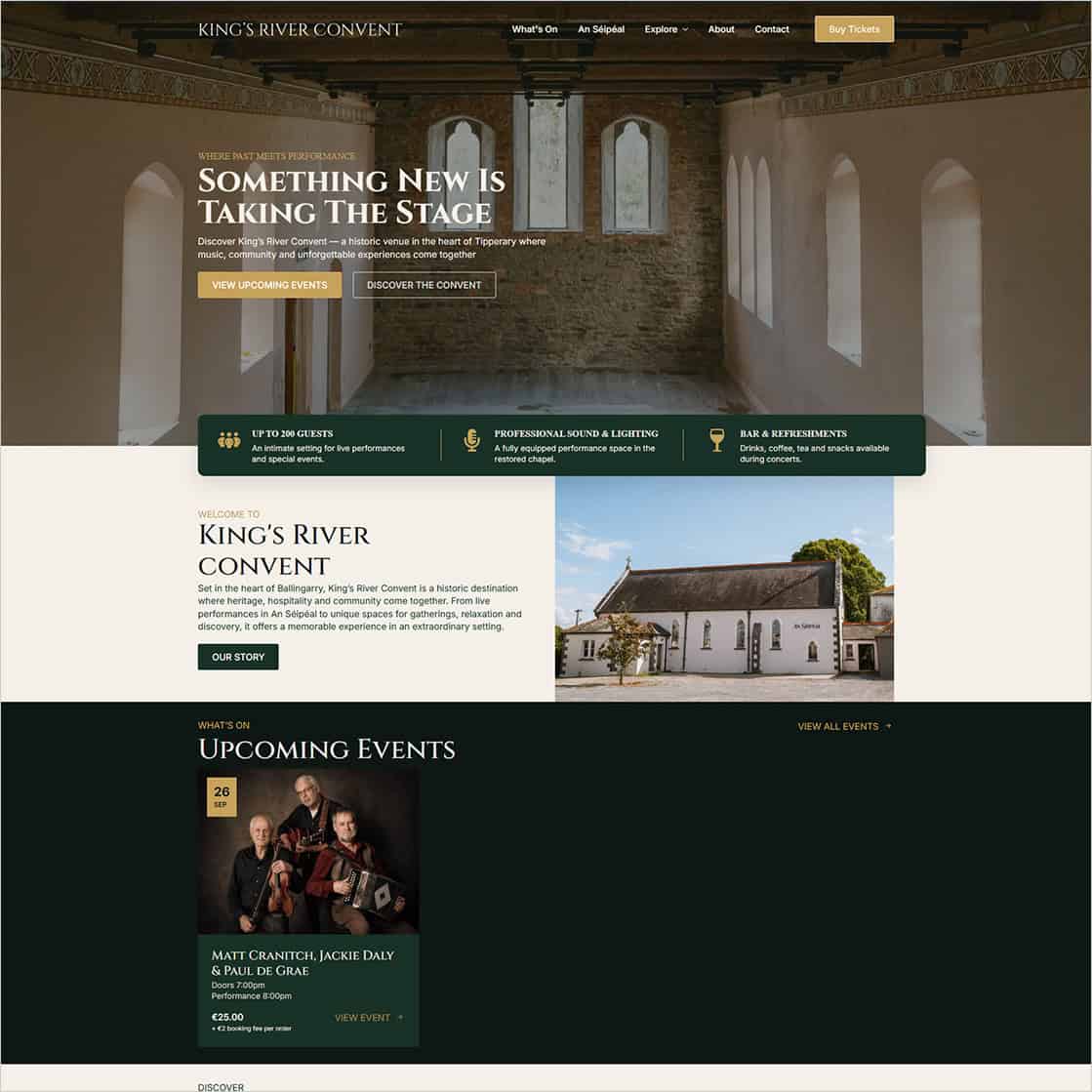
We built the website and online ticketing platform for King’s River Convent in Ballingarry, Co. Tipperary. The project brings information about the venue, its spaces and venue hire together with event listings and ticket sales.
The integrated WordPress ticketing setup lets the venue manage events and ticket sales through the website, with electronic ticket delivery and a system for checking tickets at the venue, as described in our launch article.
The planning lesson is to connect the public booking journey with the work staff do afterwards. Ticket delivery, customer queries and admission need to be considered alongside the event pages and checkout.
Explore King’s River Convent or read our website and online ticketing project article for the project background.
Choose the admission method around the people and equipment available at your venue. If staff will scan tickets, agree which devices they will use, how they sign in and what happens when a ticket has already been checked.
Rehearse the process with sample bookings. Include a guest who cannot find their email and any group booking arrangements you plan to offer. Ask how staff should work if connectivity is poor; do not assume a scanner or customer list will be available offline.
Agree a test booking with your provider and follow it from the event page through payment, confirmation and admission. Check the journey on desktop and mobile, including:
A successful payment screen does not confirm that an email arrived. Check receipt separately and give staff a documented route for reporting problems.
Decide who publishes new events, closes sales and handles changed dates or cancellations. Keep past events out of the upcoming programme and update links when the programme changes. Staff also need to know who communicates with existing ticket holders.
Separate event administration from technical website care in the quote. Our technical maintenance is billed yearly; content changes, additional pages and SEO work are quoted separately. Identify hosting, ticketing software and payment charges separately too.
To plan your setup, send us a sample event, expected ticket types and an outline of your admission process. See our ecommerce website design service or contact Istech about your venue website and ticketing requirements.